Link block
Adds a clickable button to any URL: the most used block to send visitors wherever you want.
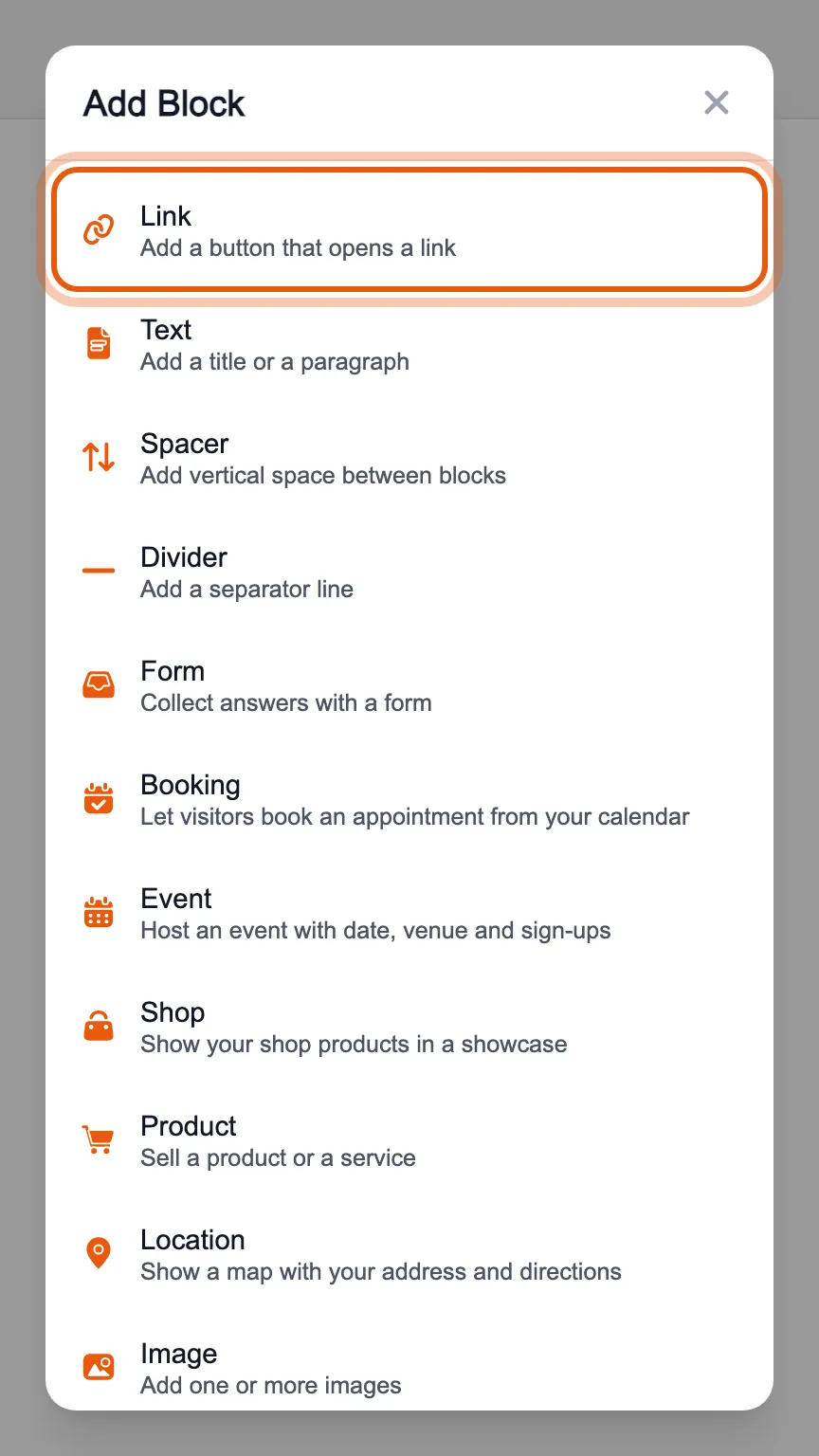
In the editor's «Blocks» tab, press «Add Block» and choose «Link».
The block appears in the list on the left and opens in the middle. Write the «Title», which is the text on the button, and in «URL» the address it leads to.
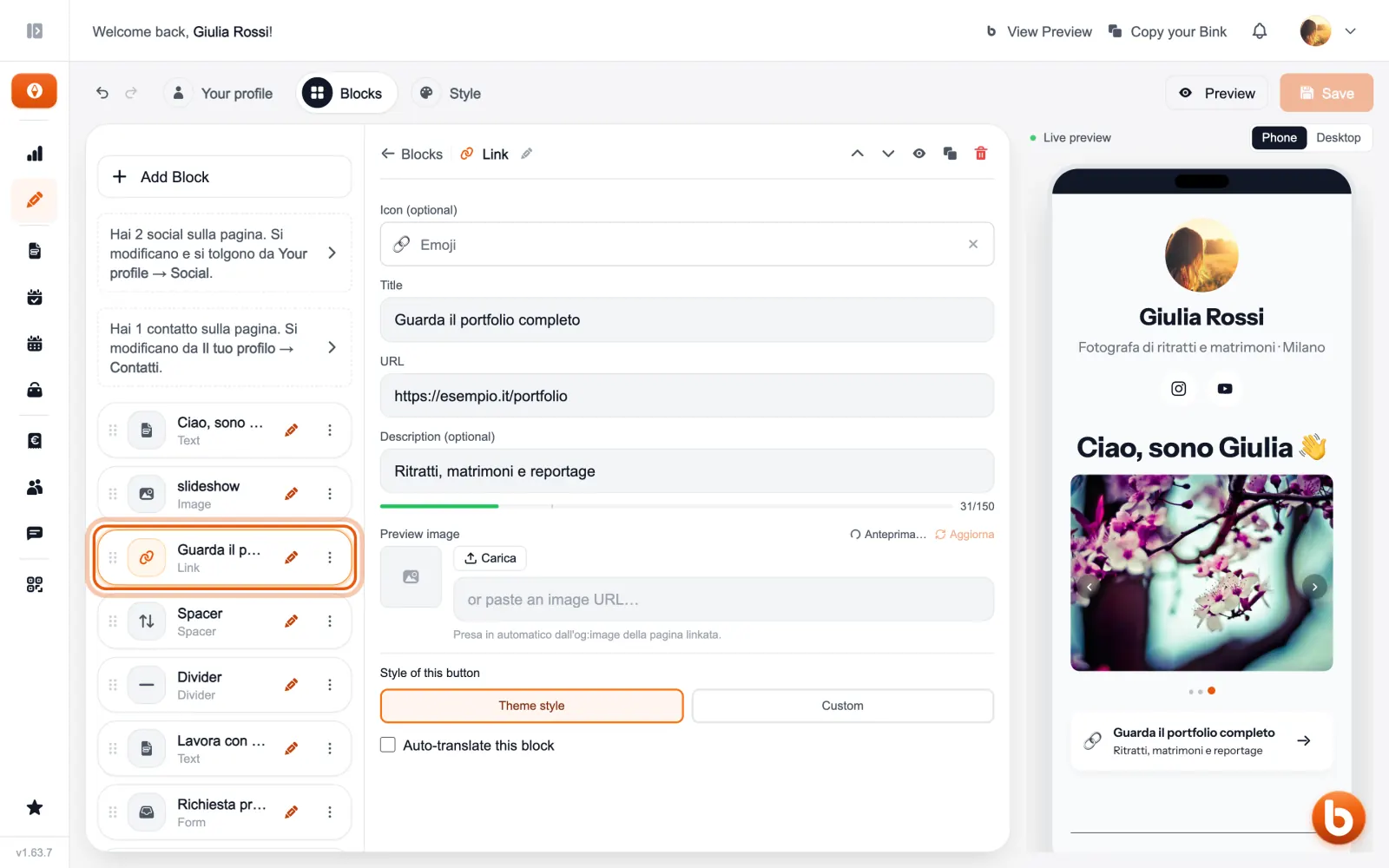
The description is optional and shows under the title. As the preview image Bink uses the one of the page you link to, and you can always upload your own.
At the bottom of the panel, «Theme style» makes the button follow the rest of the page; «Custom» gives it its own colour, text size and corners.
The preview on the right changes as you type. When you are done press «Save»: until you save, visitors see the previous version.
Still stuck?
Terms and definitions live in the glossary; for anything else there’s support.