All guidesBlocks
Product block
Sell a single product or service with a price and automatic delivery after payment.
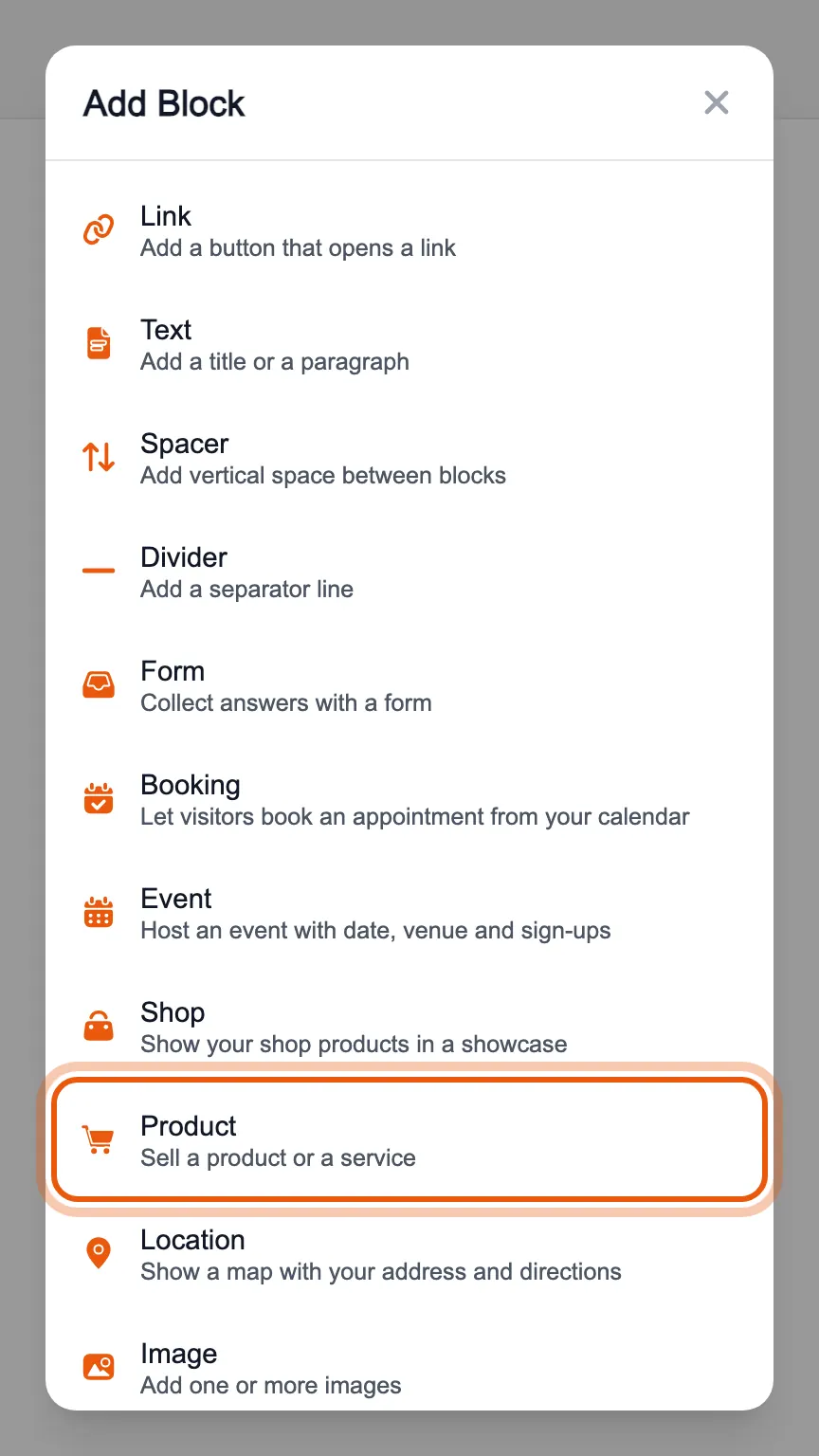
In the editor's «Blocks» tab, press «Add Block» and choose «Product».
Write the name, description and price and upload an image. Under «Il pulsante sul tuo Bink» (the button on your Bink) choose the icon and subtitle of the button that leads to the product.
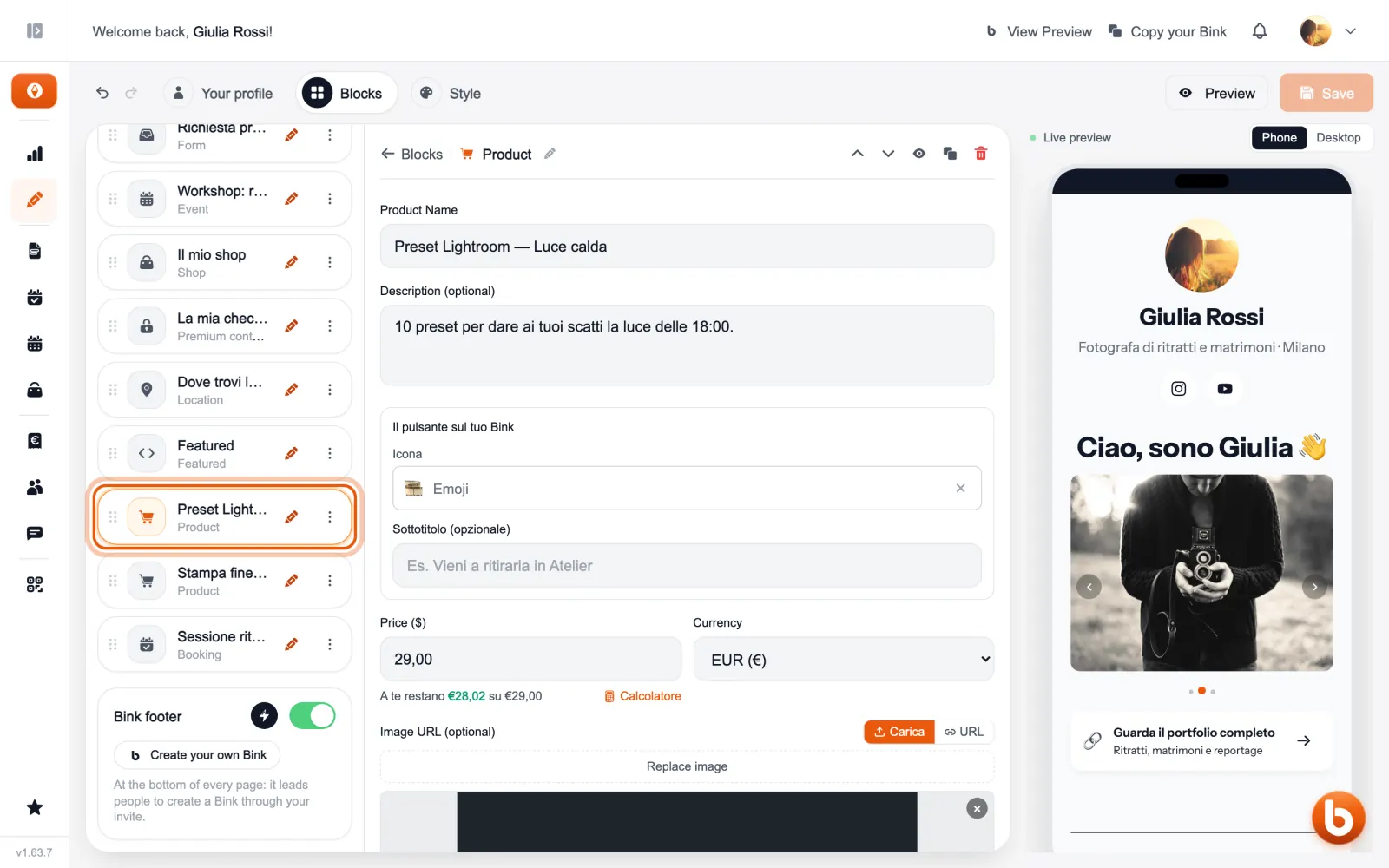
Every product has its own page, where it is bought. To send a file to whoever paid, a PDF for example, use digital delivery in the panel: it arrives by itself after the payment.
Products can also be managed from the Shop section, together with orders and sales statistics.
Still stuck?
Terms and definitions live in the glossary; for anything else there’s support.