Earnings & tax
How a payment comes in, which document it creates, how much to set aside and which deadlines are ahead. The tax side is for Italian profiles.
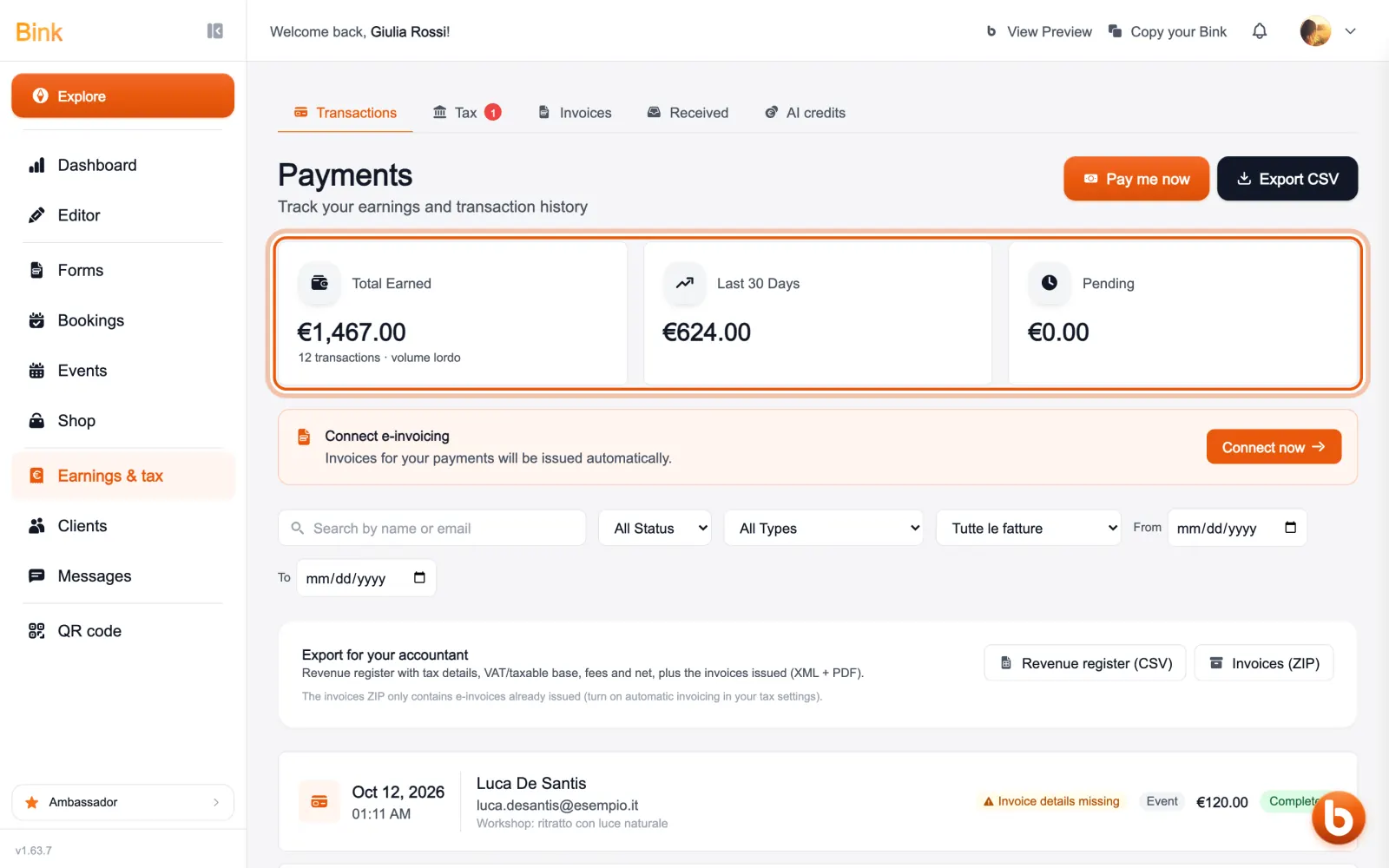
«Earnings & tax» opens on your transactions: at the top how much you collected in total, in the last 30 days and how much is still pending. Below is every payment, with the client, the type (a booking, a product, an event) and its status.
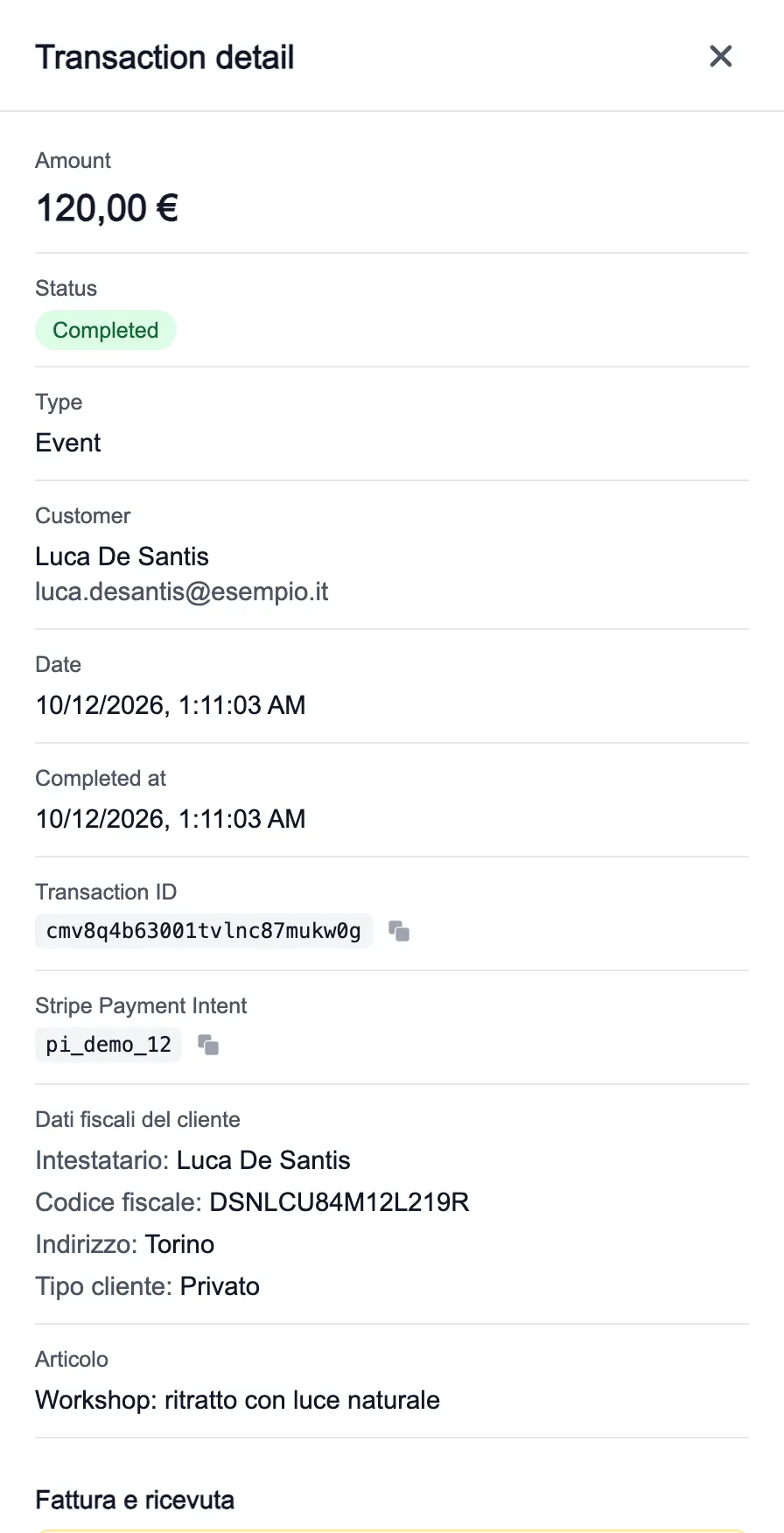
Tap a payment for its details: amount, status, client, their tax details and what they bought. From here you prepare the invoice and, if needed, refund the client.
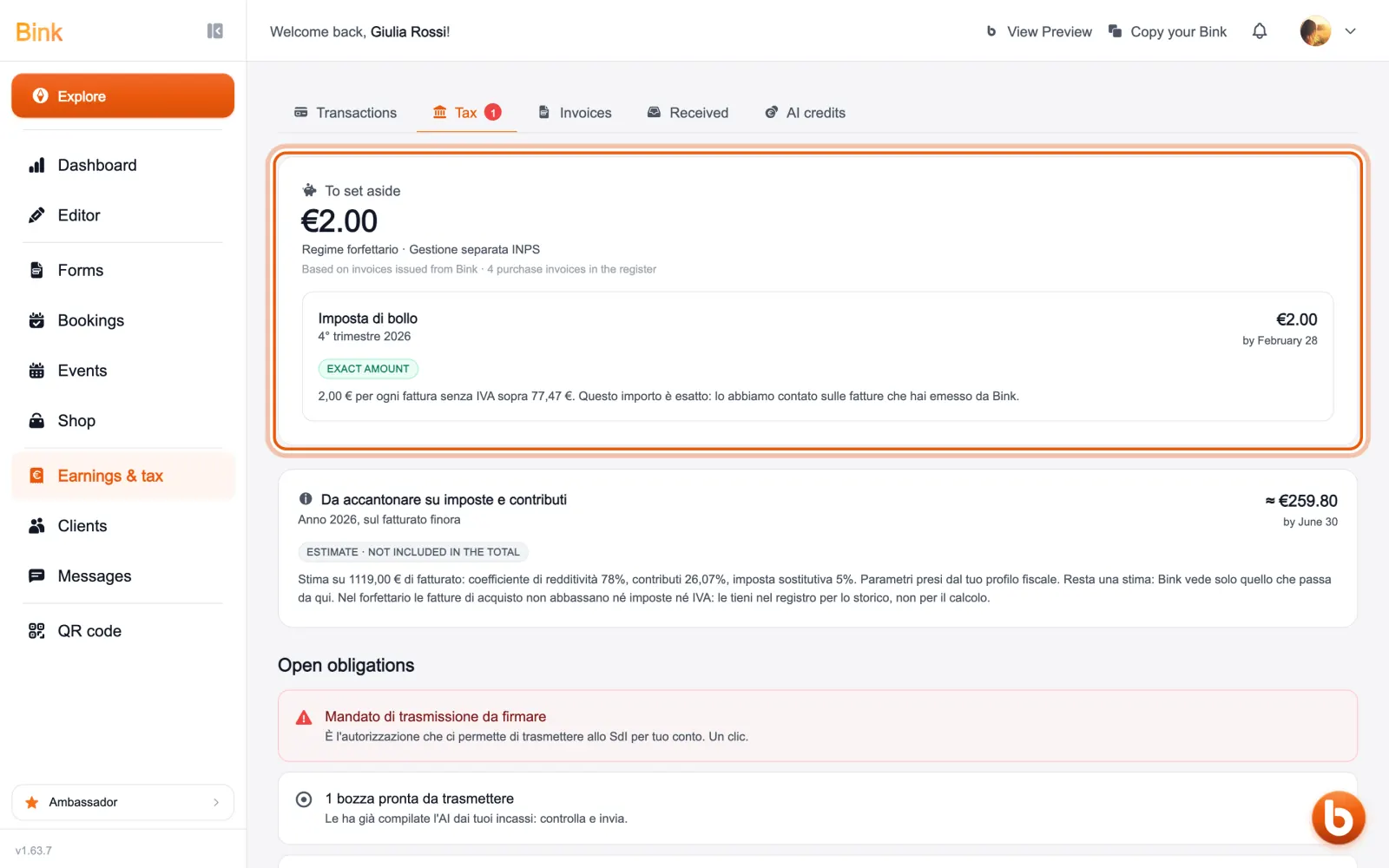
The «Tax» tab tells you how much to set aside: the amounts Bink counts exactly, such as stamp duty, and the estimate of taxes and contributions on your turnover. Each item says whether it is an exact amount or an estimate, and below are the open tasks. It is for Italian tax profiles.
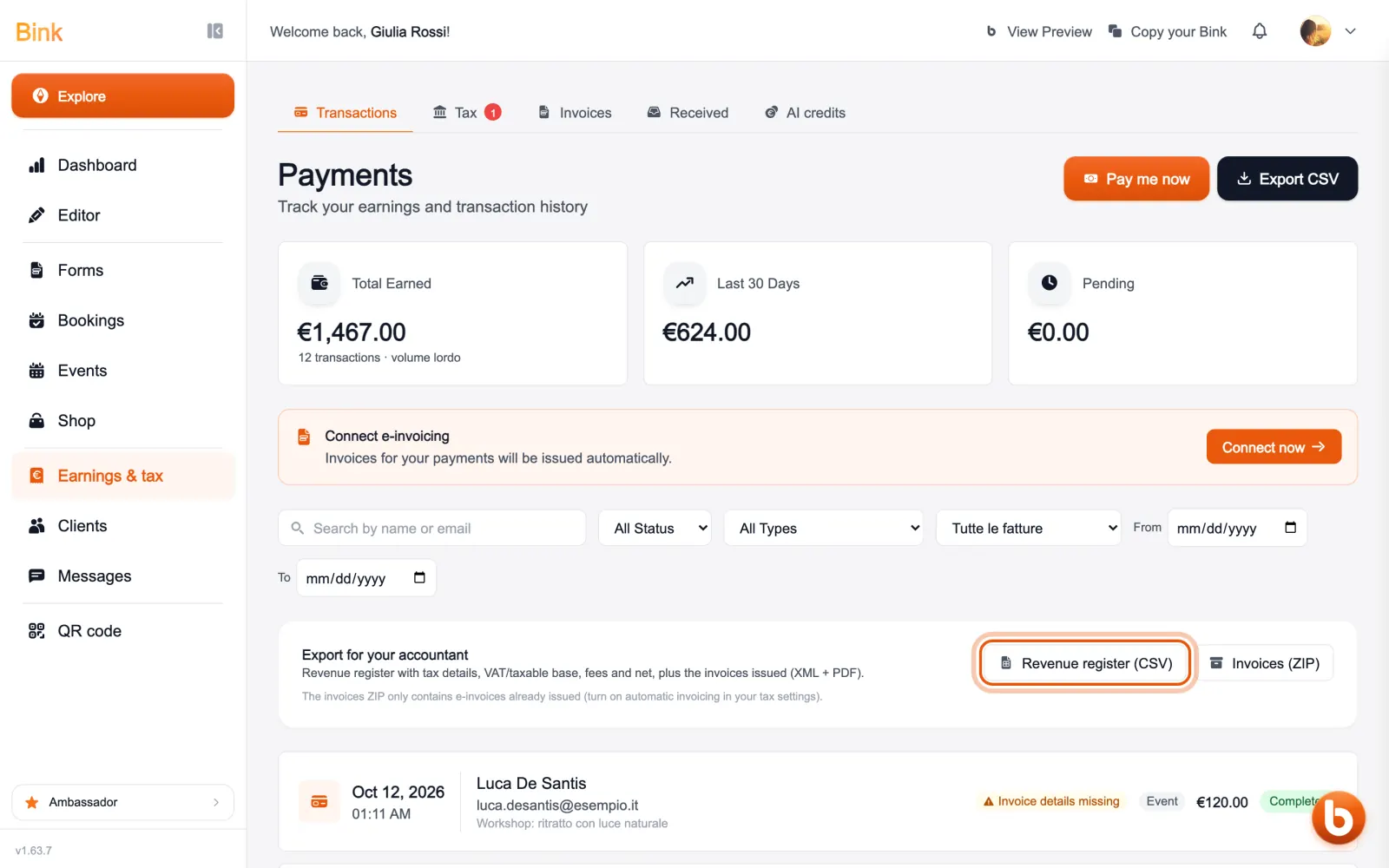
For your accountant there are two files: the payments register as a CSV, with tax details, taxable amount, fees and net, and a ZIP of the e-invoices issued.
The other tabs: «Invoices» for the documents Bink issued, «Received» for your suppliers’ invoices, «AI credits» for your Bink credits.
Still stuck?
Terms and definitions live in the glossary; for anything else there’s support.