Shop and products
Put a product or a premium piece of content on sale, and keep track of the orders coming in.
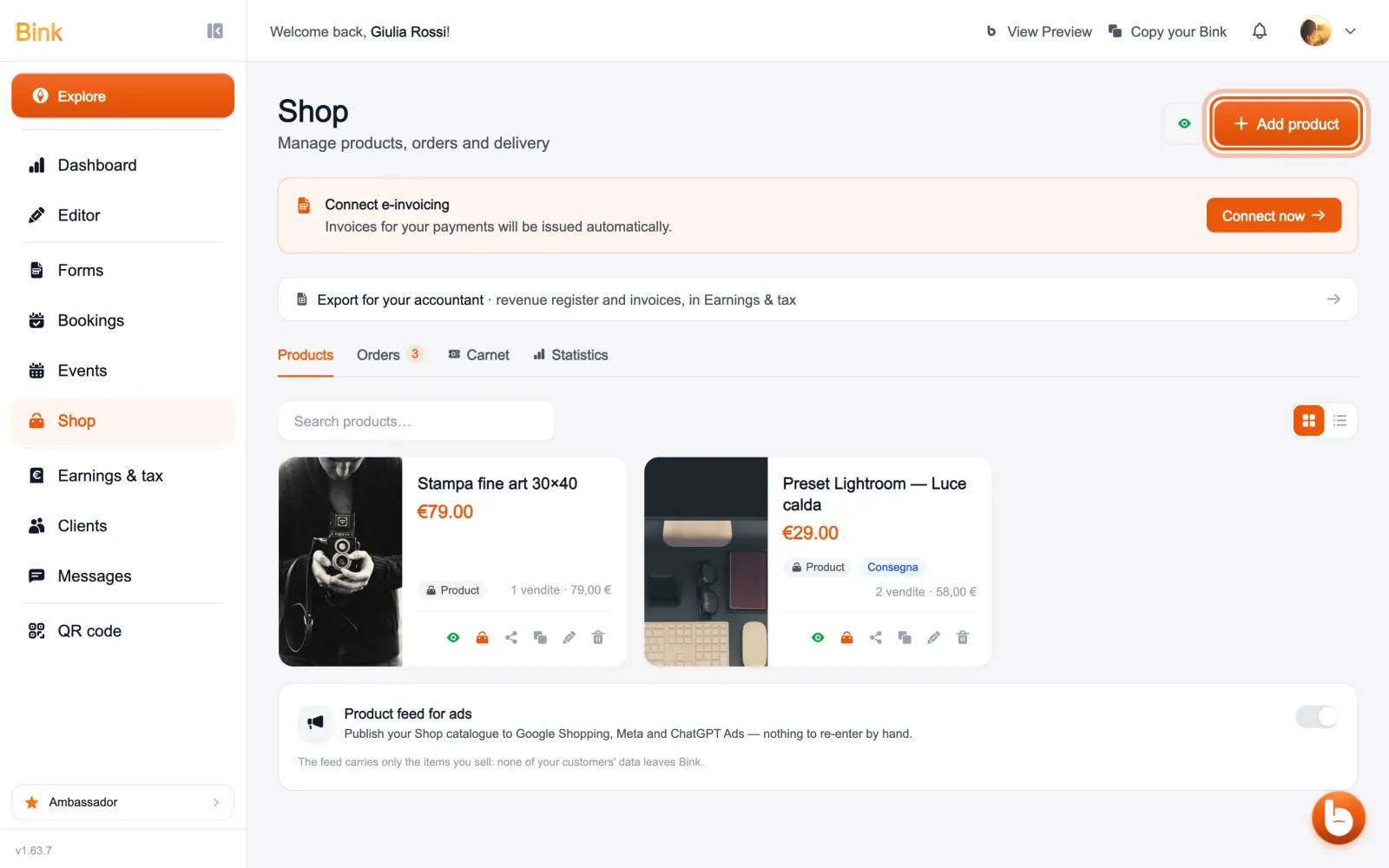
In «Shop» are your products. «Add product» creates a new one: an item, a service, a gift card or a gift list, with price and image.
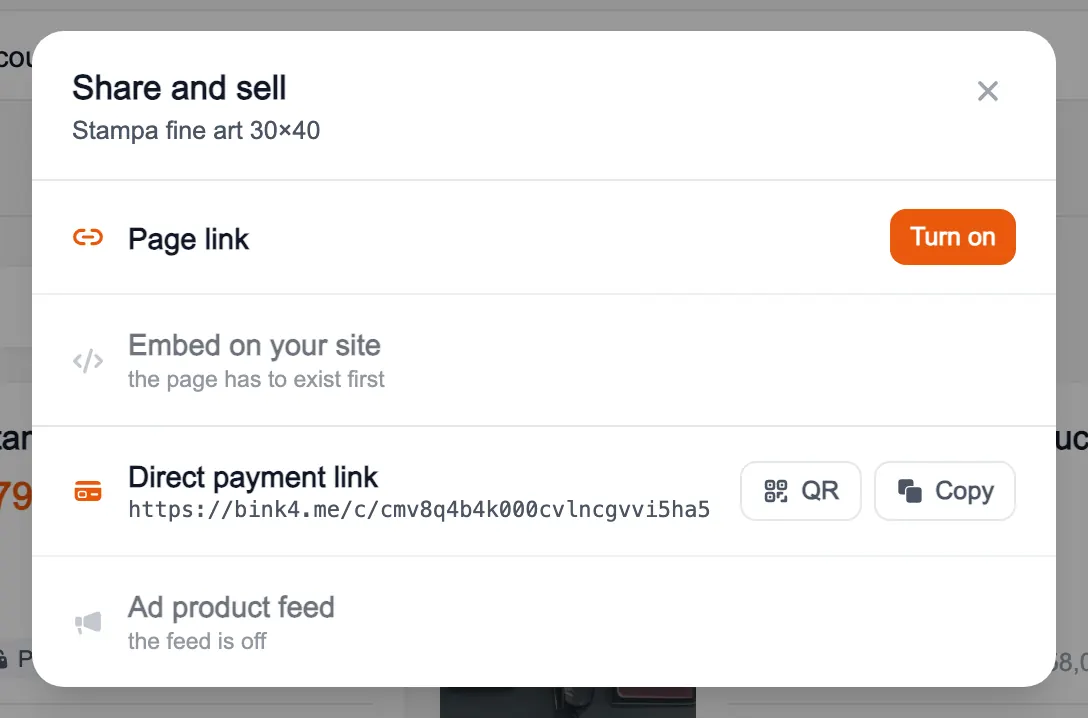
«Share and sell», on each product, gathers the ways to sell it: the link to its page, the code to embed it on your site, the direct payment link and the advertising feed. If a channel is not available, it tells you why.
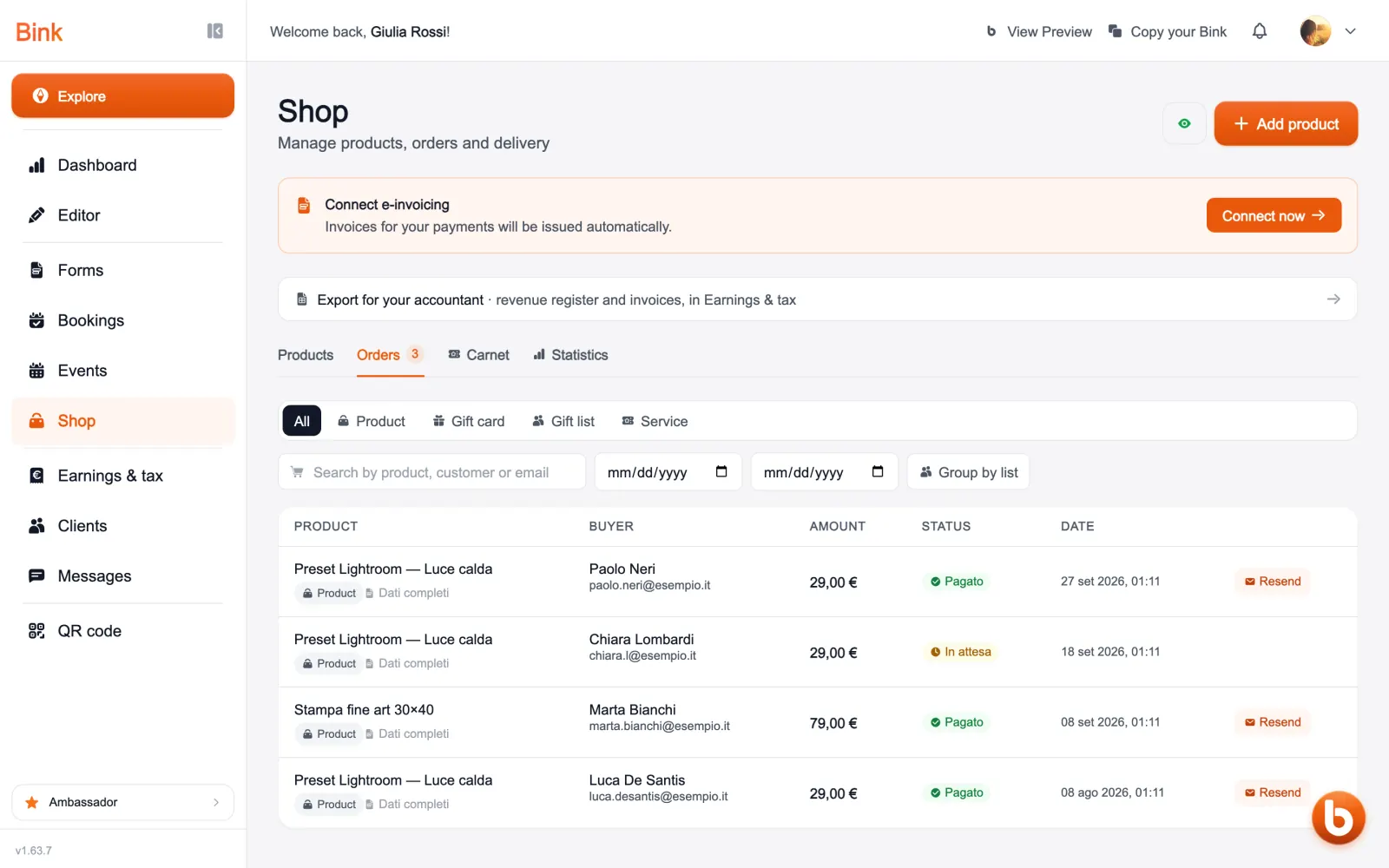
«Orders» lists who bought what, when and the payment status. You can filter them by type, search them and send a delivery to a client again.
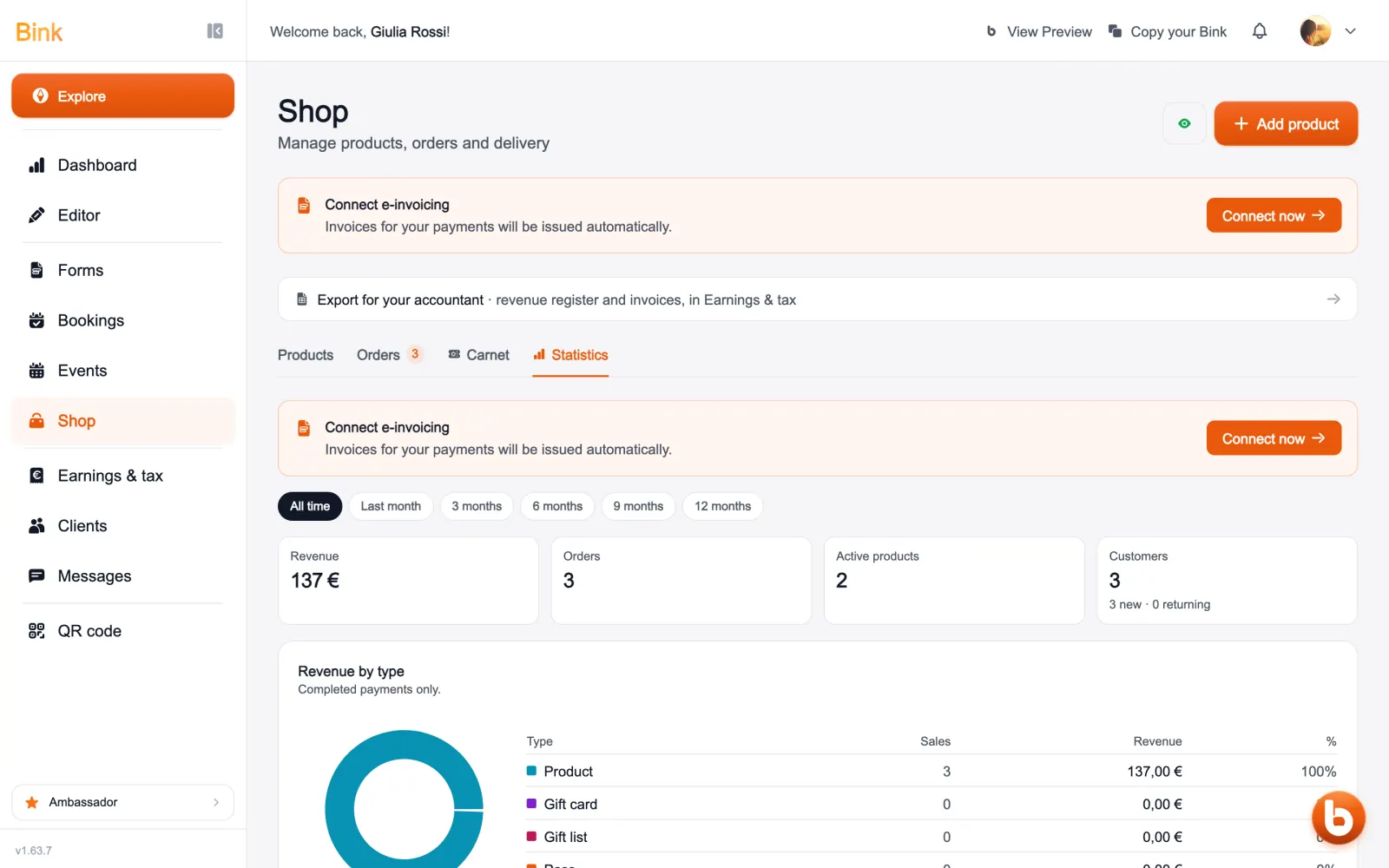
«Statistics» shows how much you collected, orders, active products and clients, over the period you choose, with revenue split by type.
Still stuck?
Terms and definitions live in the glossary; for anything else there’s support.